

 JAPAN
 USA
 Canada
 Australia
 New Zealand
 UK
 Europe
 India
 Singapore
 UAE
 South Korea
Clarity Max 32 "UHD 4Kモニター65Wの電力供給


Clarity Max 32 "UHD 4Kモニター65Wの電力供給
Clarity Max 32 "UHD 4Kモニター65Wの電力供給

受け取り可能状況を読み込めませんでした
仕様
仕様

「カラフルで豊かで、明るい - それは、多くの競合他社の価格のほんの一部を驚かせるディスプレイの怪物です」

「32インチモデルはすべて、ラップトップを充電したままにするために、USB-Cを介して最大65ワットのパススルーパワーを提供します。」

「人気の27インチディスプレイのラインナップをフォローアップするAlogicには、新しい32インチモデルがあります。」

「Alogic Clarity 32インチ4K UHDディスプレイモニターは、IPSパネルを使用し、4つのバリアントが幅広い用途に合っています。」

明確なモニターの背後にあるテクノロジーは、そのいずれも失っていません
光沢
より大きな画面への移行。それらは、クリエイティブのためのスタジオグレードのツールであり続けています
専門家
正確な色に頼って作業する人。
HDR400サポートと3000:1コントラスト比により、Clarity Maxは鮮明なコントラストを提供します
間
その深い黒と人目を引く明るさ。 1600万色以上の色を提供しています
彼らの
4K超高解像度ディスプレイ、Clarity Maxモニターはあなたを実現するのに最適な場所です
次
傑作。


スタジオの中心に座って、Clarity Maxはコンピューターをに接続します
次の作品を作成するために必要なすべて。
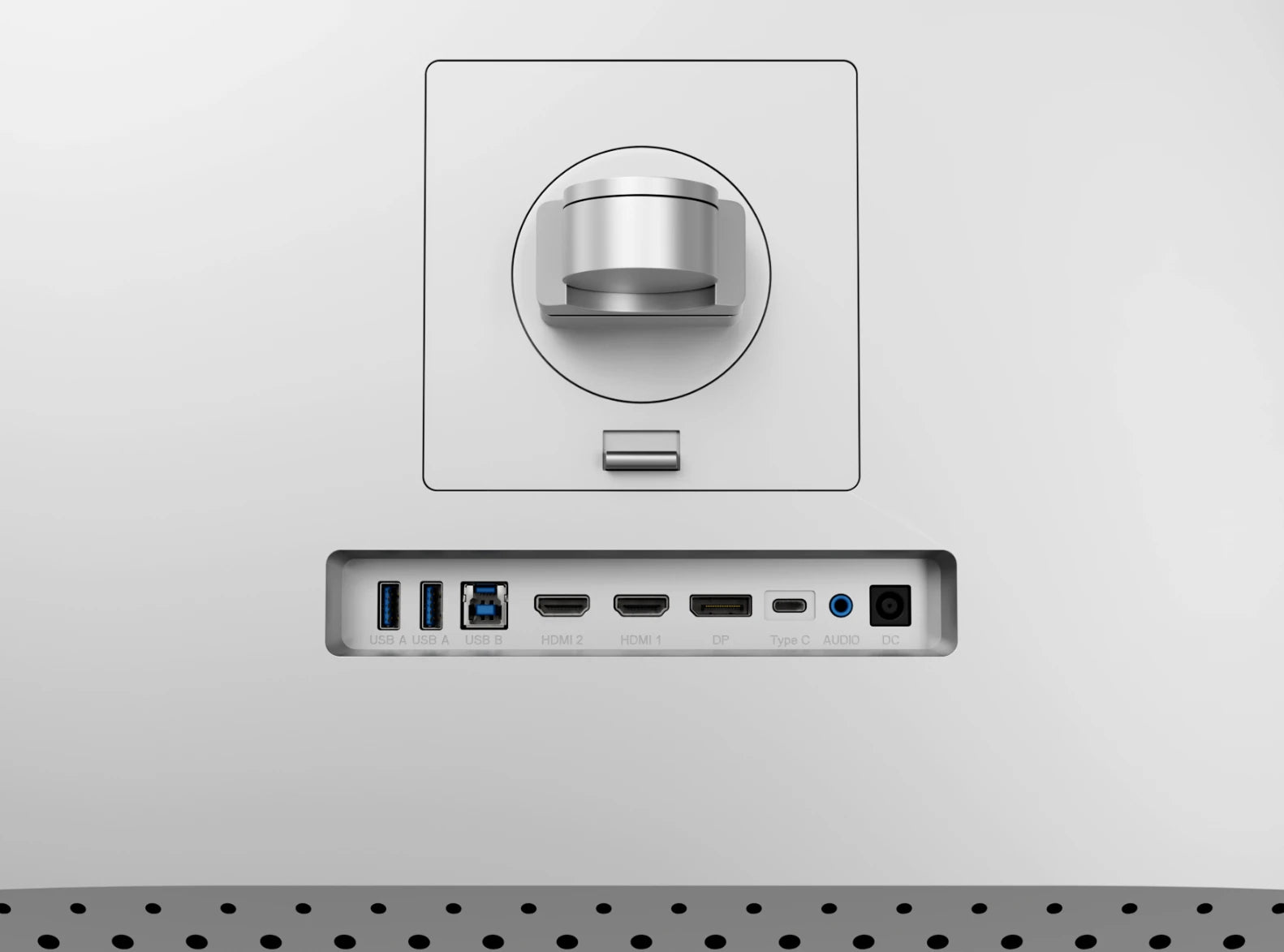
そのリアUSBハブは、コンピューターを2つのUSB-Aアクセサリー、65Wラップトップの充電、および
3.5mm
スピーカーまたはヘッドフォン - ビデオに使用しているUSB-Cケーブルと同じUSB-Cケーブルが付いています。


私たちのアルミニウムのスタンドは、あなたがどこにいても明確さを簡単に配置することを簡単にします
それが必要です、あなたがあなたのデスクのセットアップに合うようにディスプレイを上げ、ピボット、傾き、旋回させ、
最大化します
人間工学に基づいた快適さ。
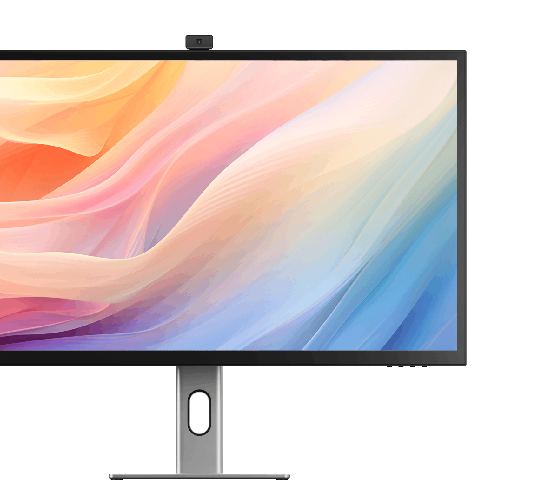
With Clarity Max, it’s easy to show off your latest design to colleagues, with wide 178° viewing
幅広い32インチの画面に角があります。
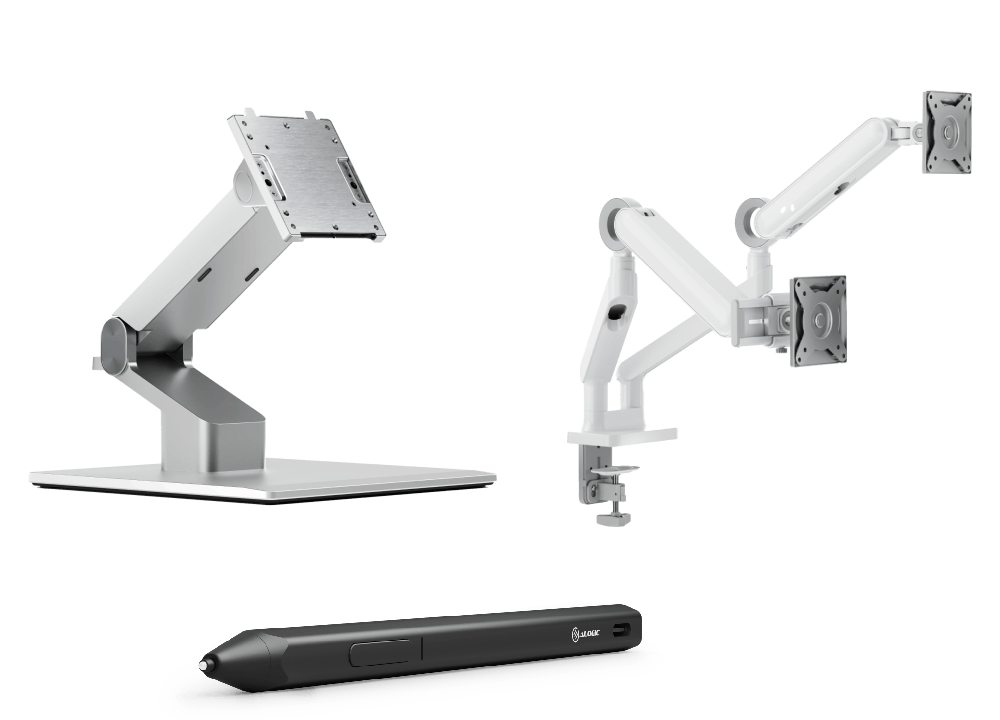
100x100mm VESAマウント(私たちなど 透明度の折りたたみスタンド そして グライドモニターアーム),
Clarity Maxは、そのサイズにもかかわらず、あらゆるセットアップに簡単に含めることです。




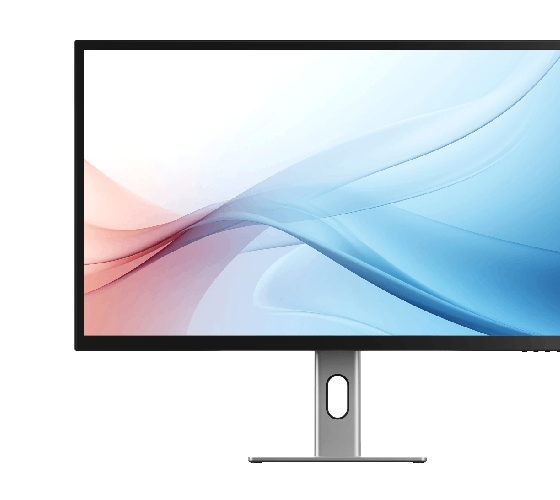

一般的な


大型モニターの場合、モニターの損傷を避けるために、モニター スタンドが Clarity Max をサポートしているかどうかを確認することが重要です。
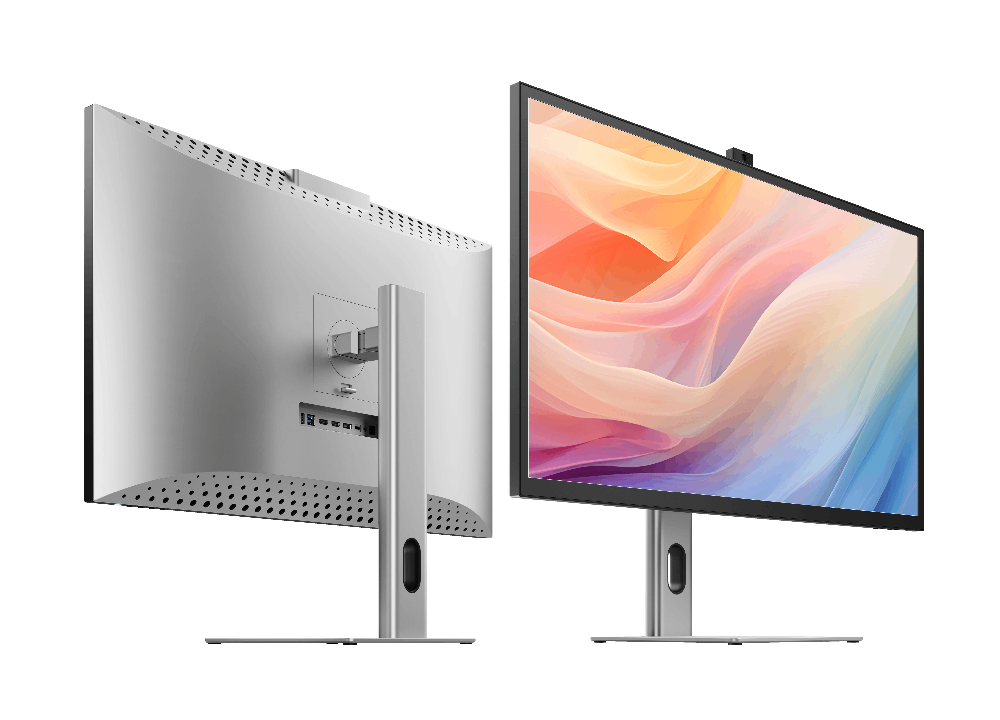
Clarity Max は 32 インチ、重量はスタンドなしで 6.5kg、寸法は 725*250*606mm (LxDxH) です。
どちらかを介して透明度に接続されています:
- 1。ClarityのUSB-Cポート
- 2。ClarityのUSB-Bポート
Clarityの「Active USB」モードは、コンピューターに接続しているのと同じUSBポートに設定されています。
Clarityの「Active USB」モードを変更するには、Clarityのメインメニューの「その他の設定」メニューで「USBスイッチ」に移動します。
たとえば、コンピューターがUSB-Cを介してClarityに接続されている場合、「USBスイッチ」メニューで「Type-C」を選択します。
ただし、コンピューター上のPD(電力供給)と互換性のあるUSB-Cポートに接続する必要があります。
これらは、ラップトップのポートの横にあるバッテリーアイコンの存在によって識別される場合がありますが、多くの場合、ユーザーマニュアルまたはメーカーのWebサイトをチェックして、どのUSB-CポートがPDをサポートしているかを把握する必要があります。
すべてのThunderbolt 3および4ポートはPDをサポートしています。
macOS でマルチタッチを機能させるには、macOS ドライバーをインストールする必要があります。
Clarity の Web カメラは、従来のバージョンの Windows および macOS ではテストされていません。
1.モニターがスタンドの最大高さにあることを確認します。
2.モニターがあなたに向かってその下端を引っ張ることで、モニターを傾けることができます。
その後、コーナーが机に当たらずにゆっくりとモニターを回転させることができます。
Clarity Maxの画面は、モニターを移動すると自動的に回転しません。写真を回転させるには、次の手順に従ってください。
マック
1.システム設定を開き - >表示。
2. Clarity Maxをクリックして、「回転」を90°または270°に変更します。
ウィンドウズ
1.設定を開く - >システム - >表示。
2. Clarity Maxをクリックし、「スケールとレイアウト」メニューの下で、「向きを表示」またはポートレートに切り替えて、どのように回したかに応じて切り替えます。
トラブルシューティング
問題を解決するには、電源ボタンを2回押して明確に再起動します。接続されたデバイスを起動シーケンスの一部として認識する必要があります。
この問題が続く場合は、次の手順を試して問題を分離することをお勧めします。
- 1.明確さをコンピューターに直接接続します
- 2。別のケーブルまたはポートで接続してみてください。
- •すなわち。 USB-Cの代わりにDisplayPortを使用します
- 3.コンピューターのオペレーティングシステムを更新します。
I was greatly appreciative of the driver who did the delivery. I was a few minutes away from home when the delivery man arrived at my house, he gave me a call and I asked him to wait for me to get home rather than not delivering the screen. He did so which was amazing and I'm very happy that he did this as he didn’t need to. What I was unhappy about was nothing to do with the delivery person, the box that the screen was in had been damaged quite substantially, the screen hasn’t seemed to be damaged however the damage to the box could well have seriously damaged the screen. Cheers, Dan
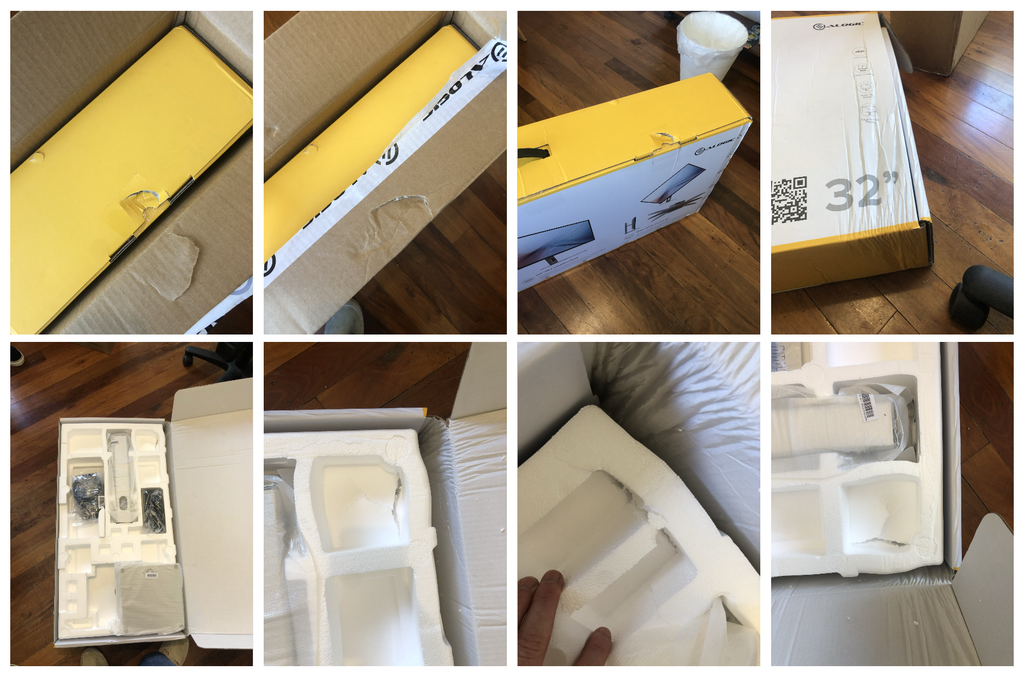
Doesn’t meet my standards. Took forever for me to get ahold of the tracking information. Packaging came ripped open on the side of box. I would really appreciate it if alogic would offer me a return
J’ai reçu mes 2 écrans Clarity dans un délai très raisonnable. Ils sont de très bonne qualité. Les finitions sont impeccables.
Ils sont très beaux. Je suis très satisfaite de mon achat.
Overall good build quality. Instructions, both the printed and online versions, were virtually impossible to read due to such a small font size and light printing, even with a magnifying glass. Monitor exhibits a pinkish/orange cast on areas where it normally is a neutral gray. I have been hesitant to use the adjustment buttons on the base of the screen due to not being able to understand how to navigate them and whether I could actually adjust to better color. Vibrancy appears low as well. Is there a remedy: software solution for adjusting the monitor instead of buttons, or a calibrator you recommend for compatibility? Otherwise, I like the monitor, just not in love with the color rendition. Find myself checking images I process in LR/PS with an iPad and older iMac to verify color integrity. Help? – [****]
Set up was simple. Works very well. Very satisfied
Reminds me of the Mac. Was amazing
I enjoyed how easy this paired up with my MacBook Pro, and the colors are great. Very happy with my purchase.
My new ALOGIC Clarity Max 32" Monitor is a beautiful addition to my workday arsenal. As a Building Designer I was looking for a colour correct and vibrant display for all my 3D rendering work and the ALOGIC Clarity has surpassed my expectations. It has great contrast and brightness and is a joy to be looking at throughout the workday. The build quality and design is solid with clean lines and pleasing finishes. If Form follows Function ALOGIC has found the magic to provide equal measures of both. I would highly recommend these Monitors! I definitely LOVE mine!
Completely happy
The screen is very clear. The colors are beautiful. Fully meets my requirements. I would buy it again at any time.
Beautiful screen and clarity of the pixels are clear.
Good monitor - arrived on time as advertised.
I've come from a 5K 27 inch Apple iMac and it's simply not as good as that - it isn't as bright and the colours are less accurate. I had to fiddle with the settings (using the very fiddly buttons under the screen) for ages to get the image to my taste.
However the 4K resolution is fine and the adjustable stand is excellent - plus I got it on a good Black Friday discount so I won't be returning it - it complements the mac pretty well. I'm not convinced it's worth the undiscounted asking price.
Easy to set up, works perfectly out of the box with my m3 MacBook. Looks beautiful, so much more versatile than the apple studio.
It isn’t an Apple monitor, but it comes close. My only beef is when it’s in HDR mode, it shuts off all the brightness/contrast settings.
Bigger and thicker than I expected but glorious in use.
画質も良く、本体の質感も高いので基本的な性能や外観は満足しているのですが、画面内に直径3mmほどの傷があり、それが残念です。
ガラスの内側にある傷なので、配送時に傷ついたのではなく、おそらく製造過程の中でついたものだと思われます。
かなり目立つので出荷時のチェックで気づきそうではあるのですが…
デュアル用としてもう一台購入を考えていましたが、この点が怖いので多分見送ります。
Wow. For general business use this thing is every bit as good as my 27” Studio display at half the cost and 32”!
Having spent 6 years with Apple's 27" Retina, I wanted something bigger, but without the eye-watering cost of the Pro XDR. After months of reading/watching reviews of all the other options, I finally opted for Alogic's 32" Clarity.
For the price, you can't knock it all. Superb stand which is heavy, beautifully constructed and adaptable, large glossy screen and great performance. As other's have stated, it's a little 'hissy' if you are in a silent room and the screen performance is nowhere near Apple's Retina, but it is a 7th of the price, and that I can most definitely live with!
It does take some configuring to get the screen to where I need it for professional purposes, and the control buttons can be a bit of a faff at times, but once done, it really is a decent monitor for the price and I'm unsure why more people are not singing it's praises?
Initially purchasing a 27”
However finally decided on the 32”.
Very happy. Great build quality and solid feel when out of the box. Seamless connection to my Mac. Amazing resolution. Highly recommend.
Only issue for me: working in a very small home office (size of a shoebox), and could really do with little more distance between the monitor and my eyes, so make sure you have adequate space. It’s quite large.
Apart from that, an awesomeness ‘Apple alternative’ display for an even more awesomness price.
Awesome product for my MacBook Pro
This monitor is decent for the price you pay - it looks pretty good (a little glare-y in the wrong light) and sometimes it takes a while to wake from sleep. It’s also a little loud. But these are all nitpicks, besides this it’s a great monitor for all kinds of applications / work / entertainment.
Very happy with the purchase, super clear, uniform, sharp with vibrant picture and accurate colours. Only downside are the built in speakers.
Great Screen .......if you have the money , it's worth it !!!
Fantastic product. This is the second one I have bought. Great for CAD as line definition is very sharp and colour quality also very good.
love the screen. The controls are recessed and more difficult then they ought to be to switch inputs. Doc isn’t comprehensive for navigating the menus.
Cannot praise this product highly enough. Fantastic value for money. The screen is bright and the graphics are great — my use is primarily for CAD and the lines are all sharp and the graphics crisp and not fuzzy at all. I have not tested against any colour standards but the depth is there and do not look to over saturated and are certainly not washed out either. Also haven’t had the occasion yet to twist the screen into portrait mode yet, but what a facility!
Worked straight out the box with my MacBook Pro — I am working between Australia and the UK and I will be buying another one on my return!
I’m very happy with my new 32” Monitor and docking station especially the interoperability and quality workmanship. Thank You!
You guys are amazing. I ordered it one day and it arrived the day after. Loving the product and the service is next level. Many Thanks.
I got the Clarity Max 32" UHD, and it is amazing. I love the design; it looks very Apple-like but is actually better than the studio, in my opinion. Being 4 K instead of 5 K doesn't seem to be a problem in any way, and I am glad I got the 32" version. The glossy finish creates a beautiful picture, although I admit it has much more reflection than I expected, especially on a sunny day. However, I would rather have the reflection than give up the gloss. I can't think of anything to improve. One thing that bothers me is that I can't figure out from the website whether Alogic is from Australia or New Zealand.
