

 JAPAN
JAPAN
 USA
USA Canada
 Australia
 New Zealand
 UK
UK Europe
 India
India Singapore
 UAE
UAE South Korea
MV2 USB-CデュアルディスプレイDP ALTモードドッキングステーション


MV2 USB-CデュアルディスプレイDP ALTモードドッキングステーション
MV2 USB-CデュアルディスプレイDP ALTモードドッキングステーション
通常価格
¥10,199
販売価格
¥10,199
通常価格
¥11,999
受け取り可能状況を読み込めませんでした
仕様
仕様

Frequently Asked Questions
一般的な
ALOGIC MV2 12-in-1 ドックは最大どれくらいのビデオ解像度をサポートしていますか?
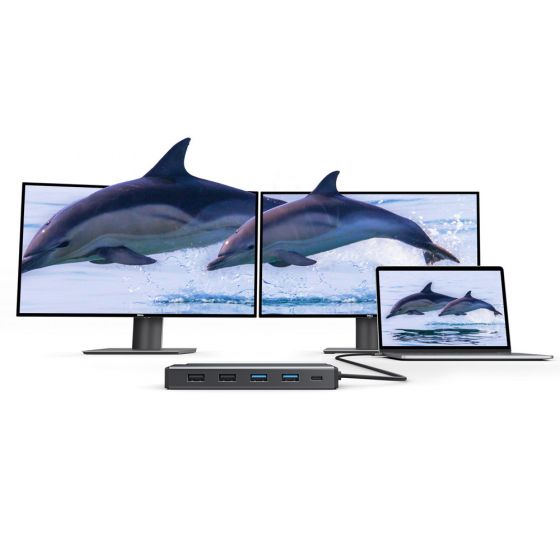
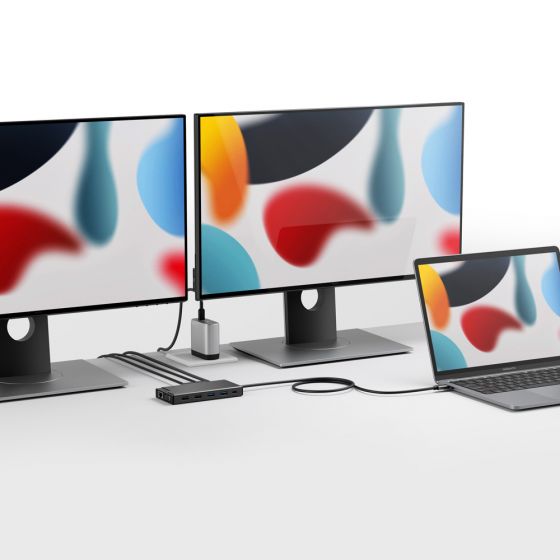
DisplayPort Alt モードをサポートする Windows および ChromeOS ラップトップでは、ALOGIC MV2 ドックは、ツイン HDMI ポートを介して最大 4K 解像度のデュアル拡張ディスプレイをサポートします。 macOS ラップトップでは、単一の拡張ディスプレイをサポートします (ネイティブの Apple OS MST 制限により、2 つの HDMI モニターを接続すると、両方の外部スクリーンに出力がミラーリングされます)。
ALOGIC MV2 ドッキング ステーションを使用するには、ソフトウェアやドライバーをインストールする必要がありますか?
いいえ、ALOGIC MV2 ドックはネイティブの DisplayPort 代替モード (DP Alt Mode) テクノロジーに依存しており、100% ドライバーレスでプラグ アンド プレイです。ドックをラップトップの USB-C または Thunderbolt 3/4 ポートに接続するだけで、すぐにビデオが出力され、接続された周辺機器が認識されます。
ALOGIC MV2には電源が付属していますか?ラップトップを充電できますか?
MV2 は、同梱の充電器を必要とせず、ポータブルなバスパワーの 12-in-1 ハブとして動作します。ノートパソコンを充電するには、ノートパソコンの純正 USB-C 電源充電器または USB-C PD 電源アダプタ (最大 100W) をドックの専用 USB-C PD 入力ポートに接続します。ドックは、接続されたアクセサリへの電力供給に 15 W を使用し、最大 85 W の電力供給を介してホスト コンピュータを充電します。
MV2 ドッキング ステーションを使用するには、ラップトップにどのタイプのポートが必要ですか?
ホスト ラップトップは、ビデオ送信用の DisplayPort 代替モード (DP Alt モード) およびラップトップのパススルー充電用の USB Power Delivery (USB PD) をサポートする USB-C または Thunderbolt 3/4/USB4 ポートを備えている必要があります。従来の USB-A ポートとは互換性がありません。
ALOGIC MV2 ドックはベースの M1、M2、および M3 MacBook で動作しますか?
はい。 Apple Silicon MacBook と完全にプラグアンドプレイ互換性があります。ただし、MV2 は (DisplayLink ではなく) ネイティブ USB-C DP Alt モードを使用するため、ベースの M1、M2、および M3 MacBook は 1 つの外部ディスプレイに出力します。基本 M1/M2/M3 MacBook でデュアル拡張ディスプレイを必要とするユーザーには、ALOGIC は CH2 HDMI Edition や DX2 などの DisplayLink ベースのドックを推奨します。
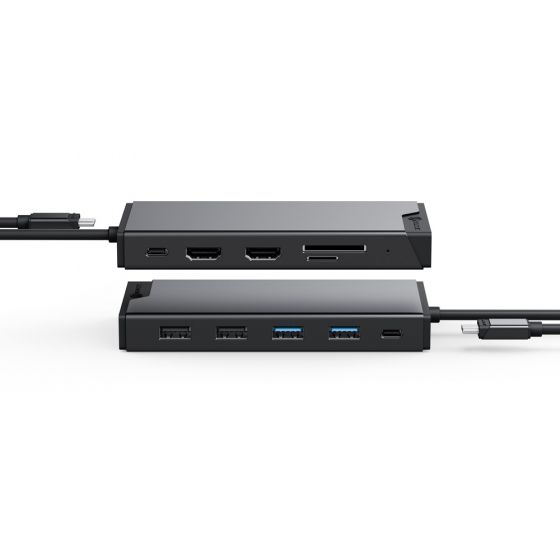
ALOGIC MV2 12-in-1 ドッキング ステーションにはどのようなポートが提供されていますか?
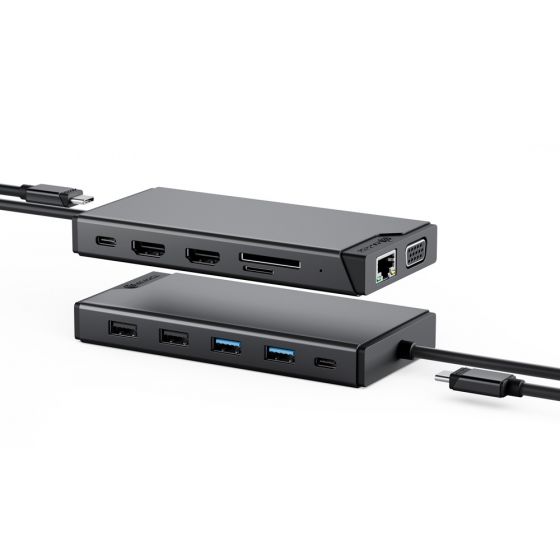
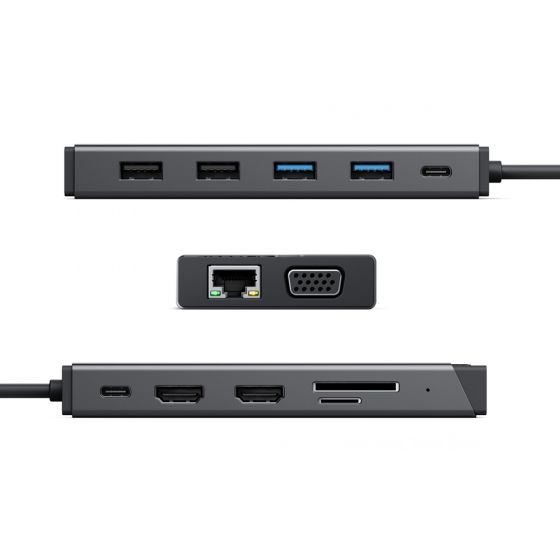
「ALOGIC MV2 ドックには、12 個の重要なワークステーション接続が含まれています。
ビデオ出力: HDMI ポート x 2。
USB接続: 1x 5Gbps USB-C データ ポート、2x 5Gbps USB-A 3.2 Gen 1 ポート、および 2x USB-A 2.0 ポート (ワイヤレス マウス/キーボードに最適)。
電力とネットワーク: USB-C PD 入力ポート x 1 (最大入力 100W) および RJ45 ギガビット イーサネット ポート x 1 (1Gbps)。
ストレージとオーディオ: SD および MicroSD カード スロットと 3.5 mm コンボ オーディオ/マイク ジャック。
ビデオ出力: HDMI ポート x 2。
USB接続: 1x 5Gbps USB-C データ ポート、2x 5Gbps USB-A 3.2 Gen 1 ポート、および 2x USB-A 2.0 ポート (ワイヤレス マウス/キーボードに最適)。
電力とネットワーク: USB-C PD 入力ポート x 1 (最大入力 100W) および RJ45 ギガビット イーサネット ポート x 1 (1Gbps)。
ストレージとオーディオ: SD および MicroSD カード スロットと 3.5 mm コンボ オーディオ/マイク ジャック。
