

 JAPAN
 USA
 Canada
 Australia
 New Zealand
 UK
 Europe
 India
 Singapore
 UAE
 South Korea
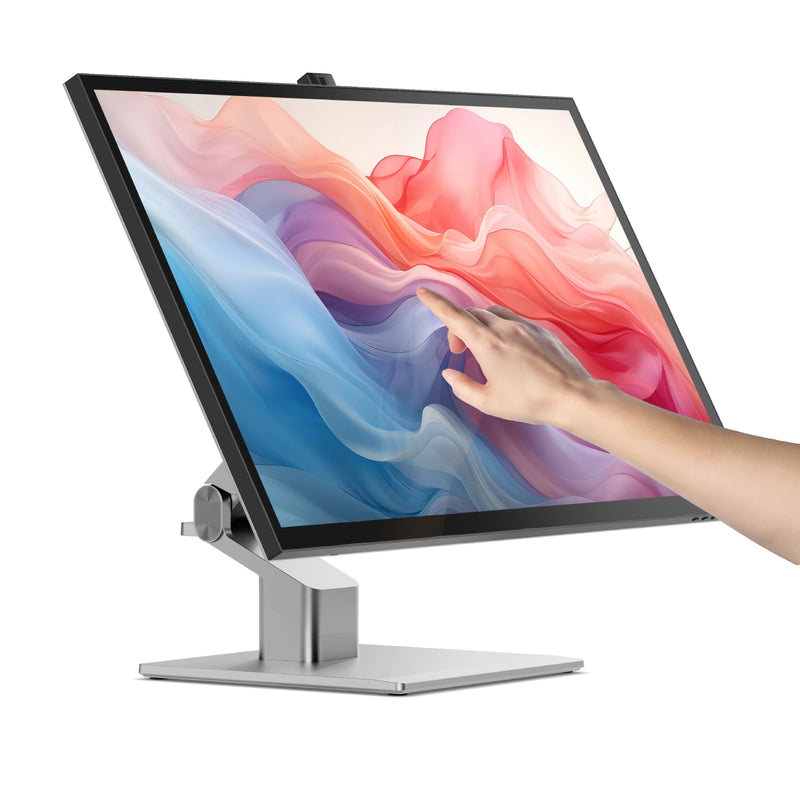
Clarity Fold Touch 32 インチ 4K UHD モニター、65W 電力供給、ウェブカメラ、タッチスクリーン、折りたたみスタンド付き




Clarity Fold Touch 32 インチ 4K UHD モニター、65W 電力供給、ウェブカメラ、タッチスクリーン、折りたたみスタンド付き
Clarity Fold Touch 32 インチ 4K UHD モニター、65W 電力供給、ウェブカメラ、タッチスクリーン、折りたたみスタンド付き
受け取り可能状況を読み込めませんでした
仕様
仕様

「タッチスクリーン機能はアプリごとに高度にカスタマイズ可能であり、素晴らしいです。」

「Clarity Max - Apple 対応の新しいモニターには、Mac 互換のタッチスクリーンが含まれています」

「世界初の Mac 用 32 インチ光沢ディスプレイ タッチスクリーン」

「カラフルでリッチ、そして明るい、これはわずかな料金であなたを驚かせるモンスターのようなディスプレイです。 の 多くの競合他社の価格」
世界をリードする
Mac および Windows 用


65W USB-C 充電ドック

比類のない 4K タッチスクリーン

エッジツーエッジディスプレイ
グラフィック デザイナーから文書署名者まで、世界中の専門家がワークフローを簡素化するために Clarity Touch の高精度 4K タッチスクリーンを利用しています。 Clarity Touch は、直観的なマルチタッチ ジェスチャと高精度のスタイラスのサポートにより、Mac または Windows コンピュータを 32 インチ iPad™ のように使用できるようにします。


3840x2160
解像度
16:9
アスペクト比
320ニット
最大の明るさ
60Hz
リフレッシュレート
178°
視野角
98%
sRGB

法的
Clarity Touch を使用すると、裁判官、弁護士、証人が文書やその他の証拠を簡単に操作、注釈を付け、署名できるため、裁判の準備が効率化され、プレゼンテーションが強化されます。

建築家
Clarity Active Stylus を使用すると、建築家はデジタル青写真や計画を簡単に作成、修正、マークアップでき、マルチタッチにより設計のレビューや関係者への提示が簡単になります。

ヘルスケア
Clarity の直感的なマルチタッチにより、患者と一緒に X 線写真を確認することが容易になり、Clarity アクティブ スタイラスを使用すると、医師は画像にすばやくマークアップし、重要な文書に署名することができます。

製造業
Clarity Touch を使用すると、エンジニアは試作段階でデザインを実際に操作し、高精度のスタイラスを使用して次のリビジョンに必要な変更をマークアップできます。

Clarity の光沢のあるスクリーンは、鮮明で鮮やかで正確な色を実現し、明るいホーム オフィスでの使用に最適です。sRGB および Adobe RGB を 98% カバーし、平均ΔE は 1 を大きく下回ります。

Clarity Max Fold の素晴らしい 32 インチ 4K (3840x2160) 画面は、2 つのウィンドウを並べてマルチタスクを行ったり、最新の作品の細部を確認したりするための十分な画面スペースを提供します。
Mac と Windows のどちらに依存して作業を行う場合でも、Clarity の直感的なマルチタッチ ジェスチャと感圧スタイラスのサポートは、お気に入りのアプリケーションで完全にサポートされているのでご安心ください。


スナップオンの Clarity Active Stylus (別売り) と組み合わせると、Clarity Touch は次の大きなアイデアのための完璧な製図板となり、ビジネスで必要な文書に注釈を付けたり署名したりする便利な方法になります。
4096 レベルの筆圧感知と傾きサポートにより、当社のスタイラスは Photoshop、Illustrator、アーティストが好むその他のアプリでの使用に最適です。また、数か月続くバッテリー寿命とペアリング不要の接続性を誰もが評価できます。
Clarity Max Fold の人間工学に基づいたスタンドは、数秒で折りたたんで頑丈でサポート力のある表面になり、何時間も快適にスタイラスを使用できます。スタイラスの使用が完了したら、毎日の作業に適したアイラインまでモニターを簡単に上げることができます。
Clarity Max Touch のスマート ポップアップ ウェブカメラは、最適なアングルを撮影できるように完璧に配置されています。通話が終了すると、Web カメラが自動的にモニター内に滑り込み、プライバシーを保護します。


すべての Clarity モニターに統合された堅牢な USB-C ハブは、ラップトップを充電して 2 つの USB デバイスにリンクすることで、接続の複雑さを解消します。

USB-Aポート
お気に入りのアクセサリーに
USB-Bポート
古いコンピューターのデータ接続。
HDMIポート
4Kビデオを提供します
ディスプレイポート
4Kビデオを提供します
USB-Cポート
4K ビデオと 65W ラップトップ充電
オーディオ出力
ヘッドフォンやスピーカーの場合
電源入力
モニターに電力を供給します
USB-Aポート
お気に入りのアクセサリーに
USB-Bポート
古いコンピューターのデータ接続。
HDMIポート
4Kビデオを提供します
ディスプレイポート
4Kビデオを提供します
USB-Cポート
4K ビデオと 65W ラップトップ充電
オーディオ出力
ヘッドフォンやスピーカーの場合
電源入力
モニターに電力を供給します

一般的な
ただし、コンピューター上のPD(電力供給)と互換性のあるUSB-Cポートに接続する必要があります。
これらは、ラップトップのポートの横にあるバッテリーアイコンの存在によって識別される場合がありますが、多くの場合、ユーザーマニュアルまたはメーカーのWebサイトをチェックして、どのUSB-CポートがPDをサポートしているかを把握する必要があります。
すべてのThunderbolt 3および4ポートはPDをサポートしています。
どちらかを介して透明度に接続されています:
- 1。ClarityのUSB-Cポート
- 2。ClarityのUSB-Bポート
Clarityの「Active USB」モードは、コンピューターに接続しているのと同じUSBポートに設定されています。
Clarityの「Active USB」モードを変更するには、Clarityのメインメニューの「その他の設定」メニューで「USBスイッチ」に移動します。
たとえば、コンピューターがUSB-Cを介してClarityに接続されている場合、「USBスイッチ」メニューで「Type-C」を選択します。
1. Clarity Fold スタンドをパッケージから取り出し、スタンドのステムをベースに挿入します。これらを折りたたみスタンドのベースの下にある蝶ネジで固定します。
2. Clarity Touch モニターを下向きにして、テーブルなどの安全な平らな面に置きます。
3. スタンドのモニター プレートを Clarity Monitor の背面にある VESA マウントに挿入し、付属の 4 本の取り付けネジで所定の位置に固定します。
タッチスクリーン
Windows およびタッチ スクリーン ドライバーがインストールされている Mac では、Clarity は Microsoft ペン プロトコル (MPP) 2.0 以降を使用するほとんどのアクティブ スタイラスもサポートします。これには、ALOGIC Active Surface Stylus (ALASS) が含まれます。
ただし、Clarity Pro Touch は、筆圧感知やショートカット ボタンなどのスタイラスのすべての機能を活用できるわけではありません。
はい。
タッチ コントロールを使用して Clarity のオンスクリーン ディスプレイ (OSD) メニューを開くには、画面の右下隅を 2 本の指で左にスワイプします。メニューを開いた状態で、指を使って Clarity の設定を調整するだけです。
トラブルシューティング
問題を解決するには、電源ボタンを2回押して明確に再起動します。接続されたデバイスを起動シーケンスの一部として認識する必要があります。
この問題が続く場合は、次の手順を試して問題を分離することをお勧めします。
- 1.明確さをコンピューターに直接接続します
- 2。別のケーブルまたはポートで接続してみてください。
- •すなわち。 USB-Cの代わりにDisplayPortを使用します
- 3.コンピューターのオペレーティングシステムを更新します。
充電ケーブルが充電をサポートしているラップトップのポートに接続されていることを確認してください。
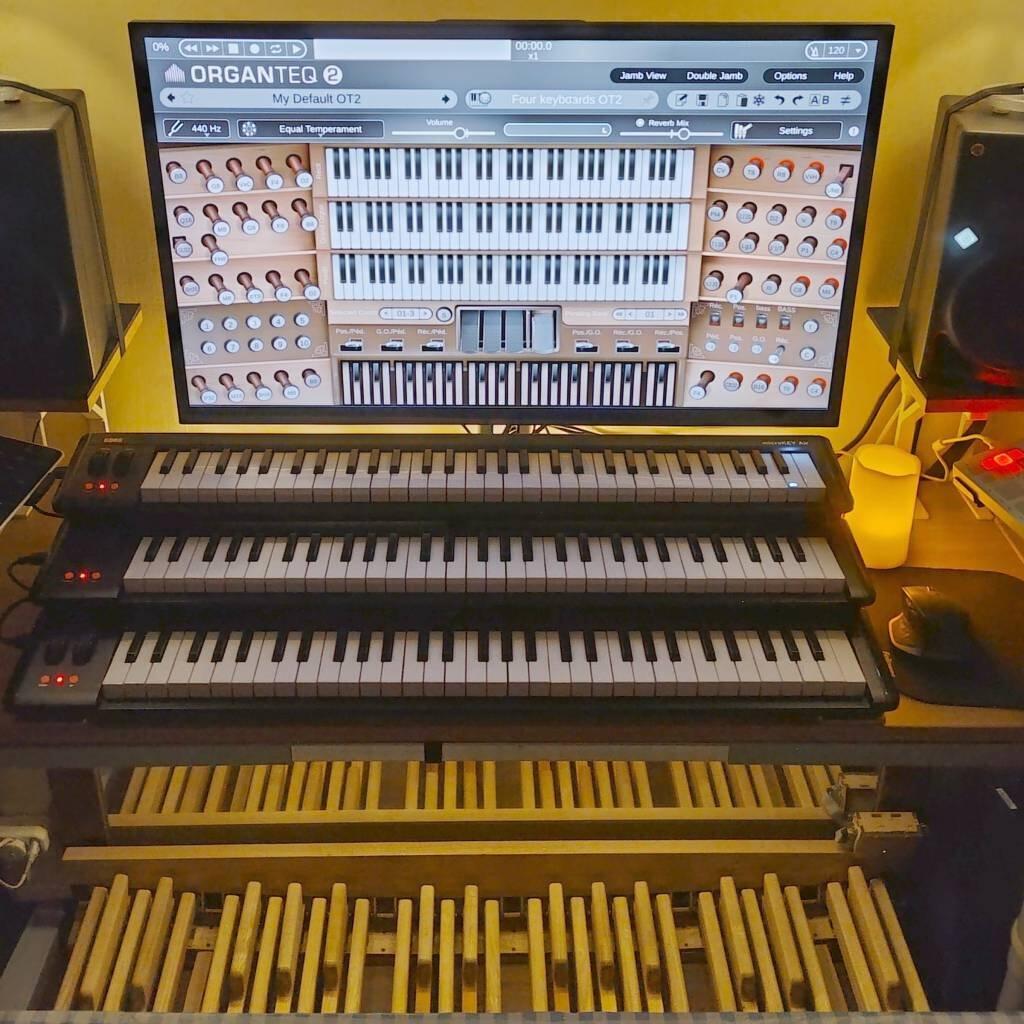
My need is a relatively large, fairly good, suitably high-resolution Debian compatible glass-fronted multi-touch computer monitor, with a stand able to accommodate my MIDI gear, and this 32" Clarity Max Touch delivers exactly that, so I give this all the stars.
While LCD as such, with its conceptual weirdness of blasting backlight into shutters, for laws-of-physics reasons, cannot compete with technologies that generates their light as needed, this panel is fine for me and 4K is my sweet spot, partly because it's a standard and party because it's enough that I can't make out individual pixels from my typical viewing distance. For me, more pixels would mostly be wasteful.
The webcam has colour noise like a 2010 smartphone. The speakers sounds like a Y2K laptop, with nothing outside 100Hz to 10kHz. The microphone array has a 16kHz sampling frequency (so no audio above 8kHz) and makes a warbling rumble, limiting its effective S/N to about eight bits of dual mono, all in all making it sound like my beige plastic 1990 PC microphone. As I don't really need them, I'm pretty happy I apparently didn't pay a lot extra for them.
Perhaps firmware updates could improve them a bit. By the way, even though the camera housing is fixed, when extended, you *can* change the camera framing a bit with a little wheel on the rear of the camera housing. The camera is fairly wide angle, so even though it, by necessity, sits high atop the monitor, as I sit a bit away from the screen, I have no problems fitting into the frame and I don't think the angle is an issue.
For video calls, for the computer to ding at me when doing something wrong, listening to the news or even some light elevator background muzak, they're okay. For a quick no-production-value information video, I might use them. For anyone contemplating serious streaming, they're more of a last resort emergency backup.
The onboard USB hub is neat and since it comes along when doing a single-cable USB-C connection (power, video, audio, touch and general USB) to a laptop, it's a great little "docking station" for an external mouse, keyboard, a USB headset, a printer, scanner or anything else you want to become available on the connected laptop without having to move any other cords. I wish the built in hub had more than two downstream ports, so I didn't have to plug a hub into the hub.
I don't own the stylus pen, so I have no idea how well a thing based on the Microsoft Pen Protocol might work in Linux. Without the folding monitor stand, which wouldn't fit on my desktop anyway, I wouldn't be able to doodle for more than a minute at a time.
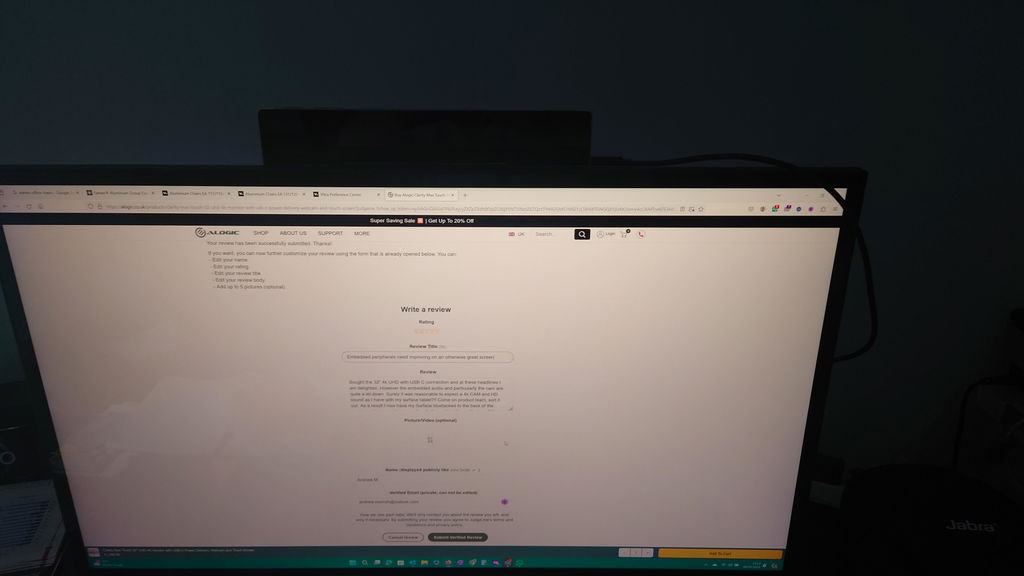
Bought the 32" 4k UHD with USB C connection and at these headlines I am delighted. However the embedded audio and particularly the cam are quite a let down. Surely it was reasonable to expect a 4k CAM and HD sound as I have with my surface tablet?!! Come on product team, sort it out. As a result I now have my Surface bluetacked to the back of the screen so I can use its cam and audio by peaking it over the top of the screen. A real disappointment in the package
Brought the 32 inch touch, folding stand, and pen.
Monitor is great once you play around with the colors. Very sharp. Impressed with it. The fact I can edit photos on the touchscreen is a huge plus. The built in cam feature is garbage. It pops up and there's no way to move or angle it. You have to move the entire monitor to try to get into frame. Should just rid of that option on future models. I have a Windows computer and no USBC on video card. Had to use the regular USB cable with the display port to get touch to work.
The pen is ok. It does the job.
Do not get the folding stand if you get the 32 inch model. The monitor sits too close to the floor. It's only made for the 27 inch. Had to return and go with the a monitor arm.
Overall I'm happy with the monitor.
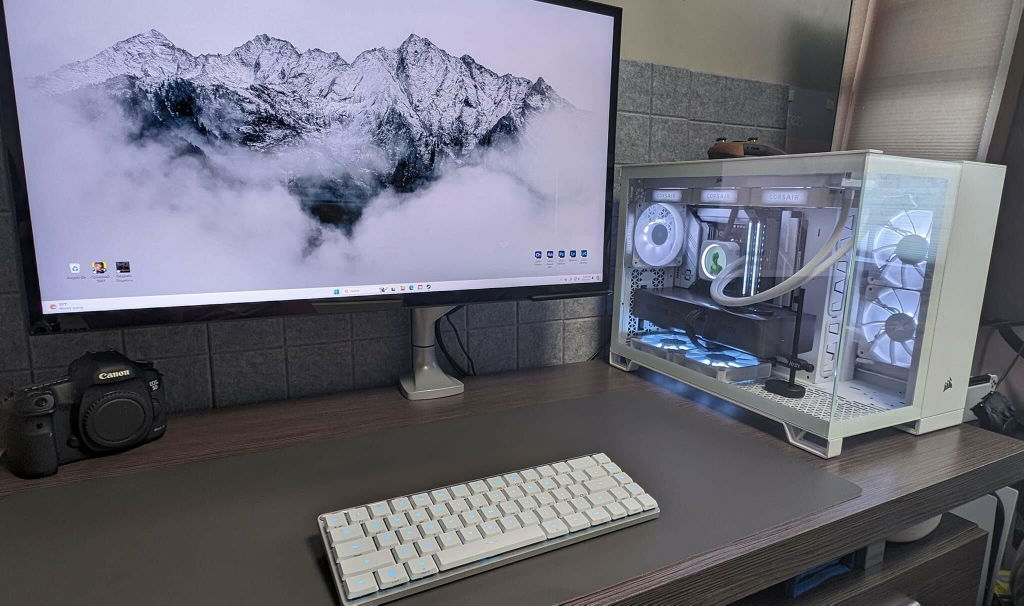
送られてきたディスプレイには満足しているが、送っていただいた箱がきたなくて、これは正直中古品あるいは展示品を送ってきたと思いました。いまもそう思っています。
Clarity Fold Touch 32" 4K UHD Monitor with 65W Power Delivery, Webcam, Touchscreen & Fold Stand
Outstanding
Overall I think this is a good monitor. It does however have its challenges.
The webcam is broken as designed. It shows a mirrored view instead of a normal view and there are no driver options to correct it. Speakers are good enough for system sounds and even most music. A power cord and a thunderbolt 4 cord are all it needs to connect to your computer. Windows 11 recognizes it and mostly it is beautiful. I get occasional flashes and every once in a while, when working with Teams the monitor will blank out completely for a second. I'm hoping new drivers will come out and correct the webcam and screen issues.
Took 2 months to arrive
resolution great, touch sensitivity very good….and it looks great! Highly recommended.
Great piece of kit , apple should be very concerned , best value bang for your buck monitor in the market .
Clarity Max Touch 32" UHD 4K Monitor with USB-C Power Delivery, Webcam and Touch Screen
Deze monitor is geweldig. Door het 32 inch formaat kun je de bewerkingen in Adobe Lightroom heel goed zien en uitvoeren. De kleuren zijn echt geweldig. En met de pen kun je touch screen werken. Fantastisch. Ik ben heel blij met deze 32 inch monitor .
I was a little concerned after reading some reviews about this monitor, saying the display was dark, however after setting up the brightness and gamut this was not an issue. The Alogic monitor is excellent. Having the touch screen is an added benefit. My only minor gripe is the speakers. I think they could be improved that’s the only reason I gave 4* rating. All in all this is a wonderful display and well worth looking at. No pun intended.
Forget Apple, this product is way better
I love touch screen and had to have this one when I saw it. The touch screen is great and bright. I have a Microsoft Surface Pro 9 and was happy to find out that I could use the Microsoft stylus with this screen. I wish the drivers for Mac to add some off the Creative Cloud features to the touch screen were available for Windows, but oh well.
A bit hard to understand the configuration and all the possibilities, New Mac Mini M4. Super good. thank's
Great Monitor, even better customer service!
professional / perfect
Not expensive but not good.
The colors of the screen connected to a MacBook Mini are ugly. In some situations, the screen shifts to B&W, and finally, the microphone does not work well!
Clarity Max Touch 32" UHD 4K-skærm er en yderst god skærm og de indbyggede højtaler er også i ok stand. Den indbyggede mikrofon og indstillingerne for webcam kunne godt være bedre. Samlet set en virkelig god skærm
Excellent touch screen. Webcam is not upto the mark and should have been better. Nowadays 4K Webcam has become a basic necessity.
The screen is amazing and is all that's promised except for one issue. The USB C connection is needed for touch screen to work.When connected to a PC (Geekom mini form) the computer will not wake from sleep. I need to be connected to HDMI which doesn't support touch screen functions. You need to connect the additional USB-A or USB-B to get the touch function. I didn't see this in the instructions but I'm male... don't really read them! Their online chat support helped me in 2 minutes... after my IT contractors coudln't resolve the situation. I'll be giving them some grief... but if the information isn't available then I can't blame them entirely.
Very please with the quality and look of the 32” monitor. Great value.
So beautiful
From All the advertising and presentations, I expected for this monitor to be much better.
Made a mistake to buy!!.... colour calibration is quite poor, starting-up is quite slow and the touch-screen fearture is not what is made to be.
Nice screen, slightly less brighter than expected - does not have that vibrancy we would hope for in certain applications and workstreams.
Have colour matched to adobe and set up for Mac but still slightly lacking in nits.
Overall a great product.
Josh
Great 4K monitor. I use it for laying out my spreadsheets and Word documents - beautiful resolution. Unfortunately, the webcam is pointless on such a high/large monitor. With the monitor arm all the way down, you'll still need to be quite tall to see your neck based on where the monitor is positioned. The tilting angle just makes you look weird on a video call.
Nice!!
